

Damn Vulnerable Web App (DVWA) is one of the most widely used platforms for learning and testing web application security vulnerabilities. Designed intentionally insecure, DVWA provides developers, penetration testers, and cybersecurity learners with a safe environment to understand how attacks work and how to defend against them.
This detailed guide explores the top features of DVWA, how each module works, and how it helps in building real-world cyber-defense skills.
1. DVWA Overview: A Training Ground for Web Security
DVWA is a PHP/MySQL-based intentionally vulnerable application created specifically for:
- Ethical hacking training
- Penetration testing practice
- Vulnerability analysis
- Secure coding education
- Red Team / Blue Team exercises
DVWA provides multiple levels of vulnerability difficulty, making it suitable for beginners as well as advanced security professionals.
2. Key Features of DVWA
Below are the top features that make Damn Vulnerable Web App a critical tool for cyber learning and testing.
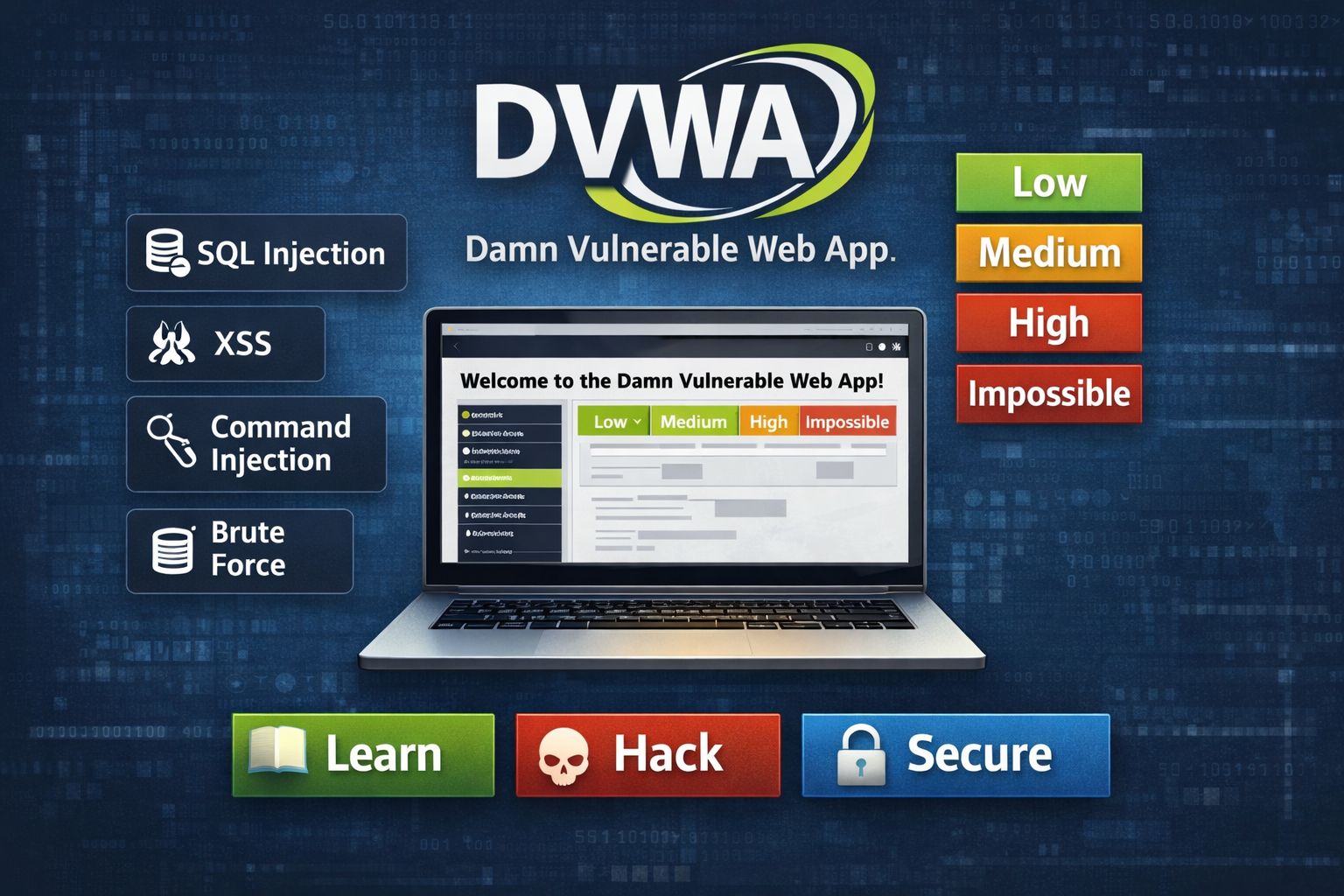
2.1. Multiple Vulnerability Modules
DVWA includes a wide range of vulnerability categories, each designed to simulate real-world attacks.
Most Popular Modules
- SQL Injection (SQLi)
- Cross-Site Scripting (XSS)
- Command Injection
- Cross-Site Request Forgery (CSRF)
- File Upload Vulnerability
- Brute Force Attack Simulation
- Insecure CAPTCHA
- File Inclusion (LFI/RFI)
- JavaScript Validation Bypass
Each module helps learners understand how simple coding mistakes can lead to serious security breaches.
2.2. Difficulty Levels (Low, Medium, High, Impossible)
DVWA provides four levels of difficulty for every vulnerability.
Levels Explained
- Low → Directly vulnerable, easy to exploit, ideal for beginners.
- Medium → Defensive logic added, requires better techniques.
- High → Advanced sanitisation or partial mitigation.
- Impossible → Fully secure, showcasing ideal secure coding.
This makes DVWA perfect for step-by-step learning and teaching secure coding practices.
2.3. Real-World Attack Simulation
DVWA mimics actual vulnerable web applications seen in enterprise environments.
Examples include:
- Extracting database information via SQL injection
- Stealing cookies using XSS
- Executing system commands via command injection
- Uploading malicious files to take server control
- Forging requests to manipulate user actions (CSRF)
These simulations help cybersecurity teams practice attack detection and mitigation in a safe lab.
2.4. Web Security Learning Through Hands-On Labs
DVWA follows a practical, hands-on learning approach, allowing users to directly exploit vulnerabilities.
Benefits:
- Understand the attacker’s mindset
- Learn exploit creation
- Practice using tools like Burp Suite, OWASP ZAP, and SQLMap
- Explore automation scripts and payload testing
- Get familiar with penetration testing methodologies
2.5. Built-in Database & Application Reset System
One of the best DVWA features is its ability to reset the database anytime.
This allows:
- Replaying attacks
- Testing multiple payloads
- Restoring the default state after experiments
- Safe team training without breaking the setup
It ensures a clean and reusable environment for continuous practice.
2.6. Secure Coding Comparison Mode
The “Impossible” level demonstrates the proper way to secure the same vulnerabilities present in lower levels.
This is extremely useful for:
- Developers learning secure coding
- Comparing vulnerable vs secure code
- Understanding sanitization & validation
- Learning modern security practices
- DVWA effectively becomes a teaching framework for development teams.
2.7. Integration with Professional Security Tools
DVWA integrates seamlessly with:
- Burp Suite
- SQLMap
- Metasploit
- Kali Linux tools
- OWASP ZAP
This makes DVWA suitable not just for students but also for professional penetration testers.
Comparing vulnerable vs secure code
Understanding sanitization & validation
Learning modern security practices
3. How DVWA Helps Security Teams & Developers
DVWA is used globally by:
- Security Analysts
To practice attacks safely. - Developers
To understand how coding practices lead to vulnerabilities. - Penetration Testers
To refine SQLi, XSS, CSRF, LFI, and exploit skills. - Educators
As a teaching resource in cyber labs. - Enterprises
To train teams in recognizing attack vectors.
4. Real-World Use Cases
4.1. Developer Training
Developers can learn:
- What insecure input handling looks like
- How sanitisation and validation impact vulnerabilities
- How to avoid common mistakes in PHP/MySQL
4.2. Ethical Hacking Practice
Students practice:
- SQL injection payloads
- Reflected & stored XSS attacks
- File upload bypass techniques
- CSRF token manipulation
4.3. Penetration Testing Lab Setup
Companies use DVWA to build:
- Internal cyber ranges
- Training labs for new analysts
- Red Team and Blue Team exercises
5. Best Practices for Using DVWA Responsibly
- Execute within a Localized Virtual Machine Environment Only.
- Do Not deploy this application on externally facing public network infrastructure.
- Utilize an Isolated, Non-Production Network Segment for Testing.
- Minimize or Eliminate External Network Connectivity during active use.
- Regularly Restore the Application’s Database to its default state.
- Conduct all training activities in a focused and ethical manner.
6. Conclusion
Damn Vulnerable Web App is one of the most powerful platforms for learning, teaching, and practicing web application security. Its combination of:
- Multiple vulnerability modules
- Difficulty levels
- Hands-on labs
- Realistic attack simulation
- Secure coding comparisons
makes it an essential tool for both beginners and advanced cybersecurity professionals.
DVWA continues to be the go-to training platform for mastering web vulnerabilities and understanding how attackers exploit insecure applications.
FAQs
1. What is DVWA used for?
DVWA is an intentionally vulnerable web application used by cybersecurity students, developers, and penetration testers to practice hacking techniques in a safe environment.
2. Is DVWA beginner-friendly?
Yes. DVWA includes a “Low” difficulty mode where vulnerabilities are easy to exploit, making it ideal for beginners.
3. What vulnerabilities are available in DVWA?
DVWA includes common web vulnerabilities such as SQL Injection, Cross-Site Scripting (XSS), CSRF, Command Injection, File Upload, Brute Force, and File Inclusion.
4. What is the purpose of the difficulty levels?
DVWA’s difficulty levels — Low, Medium, High, and Impossible — help users gradually understand secure coding practices and increasing attack complexity.
5. How should DVWA be run safely?
DVWA should always be run on a local machine or virtual machine. It should never be deployed on a public server or exposed to the internet.
6. Which tools work best with DVWA?
Professional security tools such as Burp Suite, OWASP ZAP, SQLMap, Nmap, Kali Linux tools, and Metasploit are commonly used when testing DVWA.
7. How is DVWA helpful for developers?
DVWA helps developers understand the difference between insecure and secure code, enabling them to learn and apply safe coding practices.
8. Is DVWA difficult to set up?
Not at all. Installing DVWA on XAMPP/WAMP or Kali Linux typically takes only 5–10 minutes.
9. Is DVWA used in colleges and training workshops?
Yes. DVWA is widely used in colleges, cyber labs, workshops, and enterprise training programs for hands-on security practice.
10. What benefits does DVWA offer advanced users?
Advanced users can create complex payloads, test bypass techniques, and validate secure coding by working with higher difficulty levels, including the Impossible level.